
Whether you need a simple printable PDF for the job site or an Excel log for the back office, we've got you covered. Accurate time tracking is the backbone of job costing and payroll in construction.
Download our free templates below, or read on to learn the best practices for tracking crew labor and avoiding overtime disputes.

Understanding Crew Time Sheets
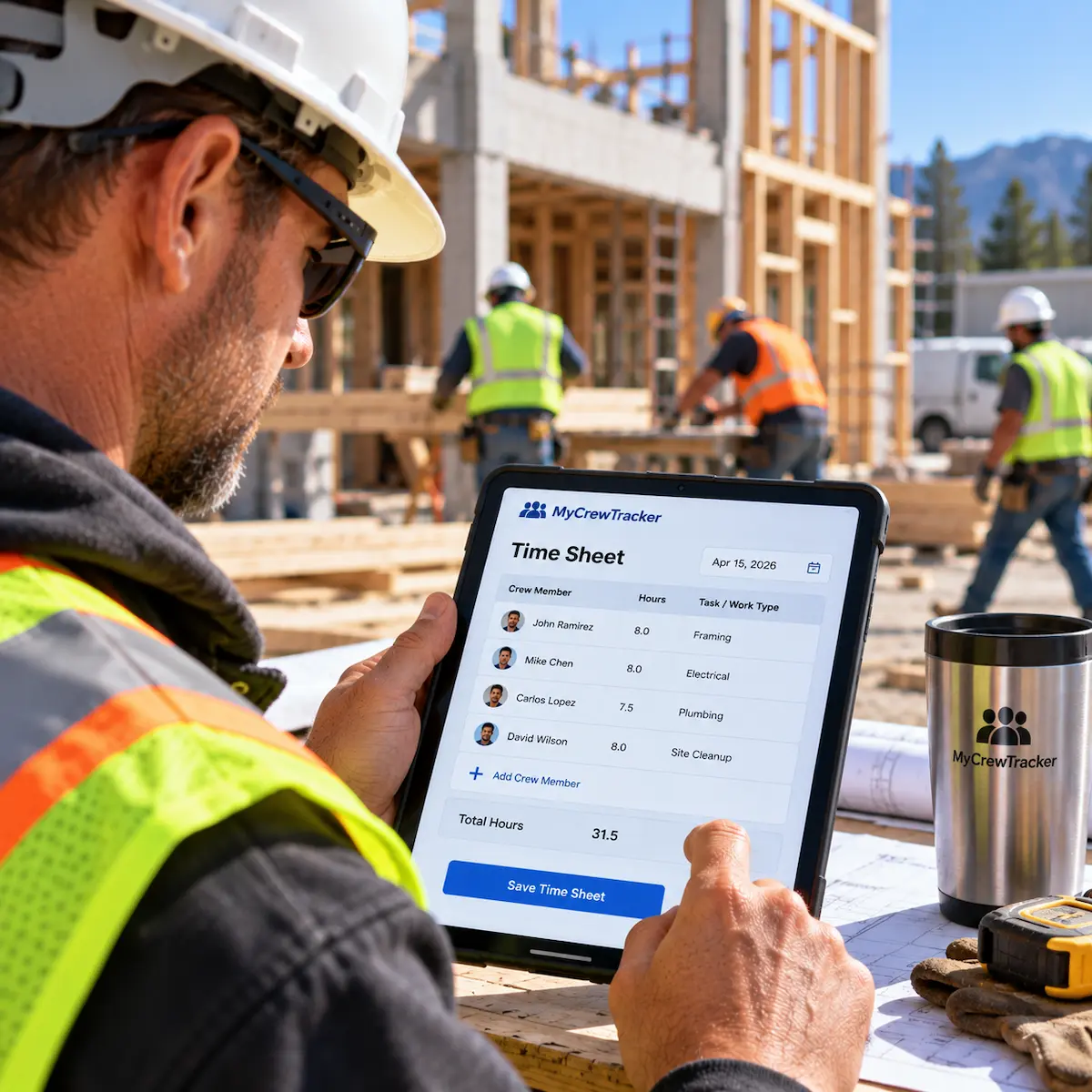
A construction time sheet is a formal document used to track the hours worked by field crews and tradespeople on a specific project. Unlike standard office timesheets, construction time sheets must account for changing cost codes, shifting job locations, different wage rates (like prevailing wage or Davis-Bacon), and daily versus weekly tracking.
Accurate time sheets are critical for two main reasons: Payroll processing (ensuring your crew gets paid correctly for regular and overtime hours) and Job Costing (tracking labor expenses against your project budget to ensure profitability).
Key Information to Include
To avoid payroll errors and compliance issues, every construction time sheet must include:
- Employee Name & Trade: Clearly identifying the worker and their role (e.g., Carpenter, Laborer).
- Project Name & Job Number: Ensuring labor costs are billed to the correct project.
- Date or Week Ending: The exact pay period being tracked.
- Regular vs. Overtime Hours: Clearly separating standard hours from overtime (OT) or double-time (DT) for accurate payroll calculation.
- Cost Codes / Task Types: Categorizing the work performed (e.g., Framing, Concrete, Demolition) for precise job costing.
- Foreman Signature: Official approval verifying that the hours recorded are accurate and authorized.
Daily vs. Weekly Construction Time Sheets
Choosing between daily and weekly tracking depends on your crew size and management style:
- Daily Time Sheets: Best for dynamic job sites where crews switch tasks or projects frequently. They are often submitted alongside the daily reports, ensuring high accuracy while memories are fresh.
- Weekly Time Sheets: Better for stable crews working on a single project for extended periods. They require less administrative overhead but rely heavily on the foreman's memory if not logged accurately each day.
✨ Benefits of Digital Tracking
Transitioning from paper time sheets to a digital construction management system offers immediate operational benefits:
- Eliminate "Guesstimating": Digital tracking prevents rounded hours and buddy-punching, ensuring you only pay for actual time worked.
- Instant Office Sync: No more driving paper timesheets to the office on Friday afternoon. Field hours are instantly available to payroll.
- Real-Time Job Costing: Track your labor budget in real-time rather than waiting until the end of the month to realize a project is bleeding money.
- Easier Overtime Management: Digital systems can automatically flag approaching overtime before it happens, giving you control over labor costs.
Best Practices & Workflow
On a construction project, the foreman should get time sheets approved by the:
Project Manager or Site Superintendent.
In standard construction approval workflows, the foreman gathers the daily or weekly hours for their crew. However, to ensure labor costs align with the project budget, the time sheets must be reviewed and formally approved by the Project Manager (PM) or Site Superintendent before being sent to payroll or accounting.
Using digital time tracking, MyCrewTracker streamlines this exact approval workflow, associating every hour with the correct project and preventing unauthorized overtime.
For a complete picture of labor accountability, pair time sheets with a formal crew attendance log so that every worker on site is accounted for by name and date.

Download Templates
 Download PDF Template
 Download Excel Log
❓ Frequently Asked Questions
How do you describe time in and out on hourly construction time sheets?
For hourly construction time sheets, "Time In" should reflect the exact moment a worker arrives on the job site and is ready to work (e.g., 7:00 AM). "Time Out" is the time they leave the site or finish their shift (e.g., 3:30 PM). It is best practice to also document unpaid meal breaks (e.g., 30-minute lunch) to ensure compliance with labor laws and accurate hourly wage calculations.
What are construction management time sheets?
Construction management time sheets go beyond tracking hourly wages; they are used to allocate labor costs to specific project phases or cost codes. By tracking exactly how many hours a crew spent on framing versus drywall, project managers can compare actual labor costs against the original estimate to track project profitability in real-time.
On a construction project, the foreman should get time sheets approved by the:
The Project Manager or Site Superintendent. In a standard construction workflow, the foreman compiles the crew's hours, but the PM or Superintendent must formally review and approve them before they are submitted to payroll. This ensures labor costs are verified against the project budget.