
If you're a small contractor, the AI conversation in construction probably feels like it's happening in a different language. You hear about "digital coworkers," "agent libraries," and "AI-powered workflows." You see enterprise platforms rolling out AI features with names that sound like they belong in a sci-fi movie.
And you're standing there thinking: "I just want to find the damn fire rating on this wall without scrolling through 200 pages."
That's the gap. Enterprise AI in construction is built for large general contractors with dedicated IT teams, complex data infrastructure, and six-figure software budgets. It's designed to automate enterprise-scale workflows, predict project risks, and manage massive datasets.
Small crews don't need any of that. They need an AI that finds information. Fast. In plain English. On a phone. Without training.
This comparison looks at both approaches—the enterprise AI and the purpose-built assistant—through the only lens that matters for a small contractor: what does it actually do on a Tuesday afternoon when you need an answer?
Why AI in Construction Is Overcomplicated for Small Teams
The enterprise AI push is real. Procore, the industry's largest platform, has rolled out Digital Coworker packages with a library of 20 pre-built AI agents covering everything from site safety to schedule analysis to change management. There's a Deep Search Agent, a Submittal Review Agent, an RFI Agent, a Daily Log Agent, and more. The Enterprise tier even includes an Agent Studio where you can build custom AI agents from scratch.
It's impressive technology. It's also built for a contractor managing dozens of projects with a dedicated innovation team.
Here's what the adoption data actually shows. A 2026 survey of 1,728 construction professionals found that 63% cite accuracy and trust in AI recommendations as their main concern, followed by the learning curve or complexity of adoption at 33%. Another survey found that 58% of construction professionals spend more than 11 hours per week on tasks they believe could be streamlined using AI—but nearly half reported no current plans to invest in AI-enabled tools.
The barrier isn't the technology. It's the complexity. Small crews don't have time to learn a new system, configure AI agents, or train a team on a "digital coworker." They need something that works the moment they open it.
That's the difference between enterprise AI and a purpose-built assistant.
What You Need vs. What You Get
Here's the practical comparison. On the left is what a small contractor actually needs from AI. On the right is what each platform delivers.
| What You Need | Procore AI | MyCrewTracker Smart AI Assistant |
|---|---|---|
| Find a spec detail in seconds | Deep Search Agent pulls from connected project data, but requires setup and configuration | Ask in plain English, get answer with source highlighted |
| Check a drawing revision | AI works within Procore's document tools; Document Management tool not yet fully supported by AI | Instant revision status; superseded drawings automatically flagged |
| Draft a daily report | Daily Log Agent turns site photos into reports; requires Procore's full platform | Daily reports draft from photos and time sheets already in the platform |
| Summarize an RFI thread | RFI Agent available in Digital Coworker packages; requires agent configuration | Ask "What did the architect say about the flashing detail?" and get the answer |
| Find a photo from a specific date | Not a core AI feature; photos live in Procore's document system | Ask "Show me photos from the master bath last week" and get filtered results |
| No training required | Requires onboarding, configuration, and learning curve | Works like a text message; no training needed |
| Mobile-first | Mobile-supported; AI works inside Procore's app | Mobile-first; designed for phone use in the field |
| Affordable for small crews | Entry-level pricing starts around $4,500/year and scales to $60,000+ | **$40/month flat** ($480/year), unlimited users |
| 14-day full-feature trial | No | Yes — no credit card required |
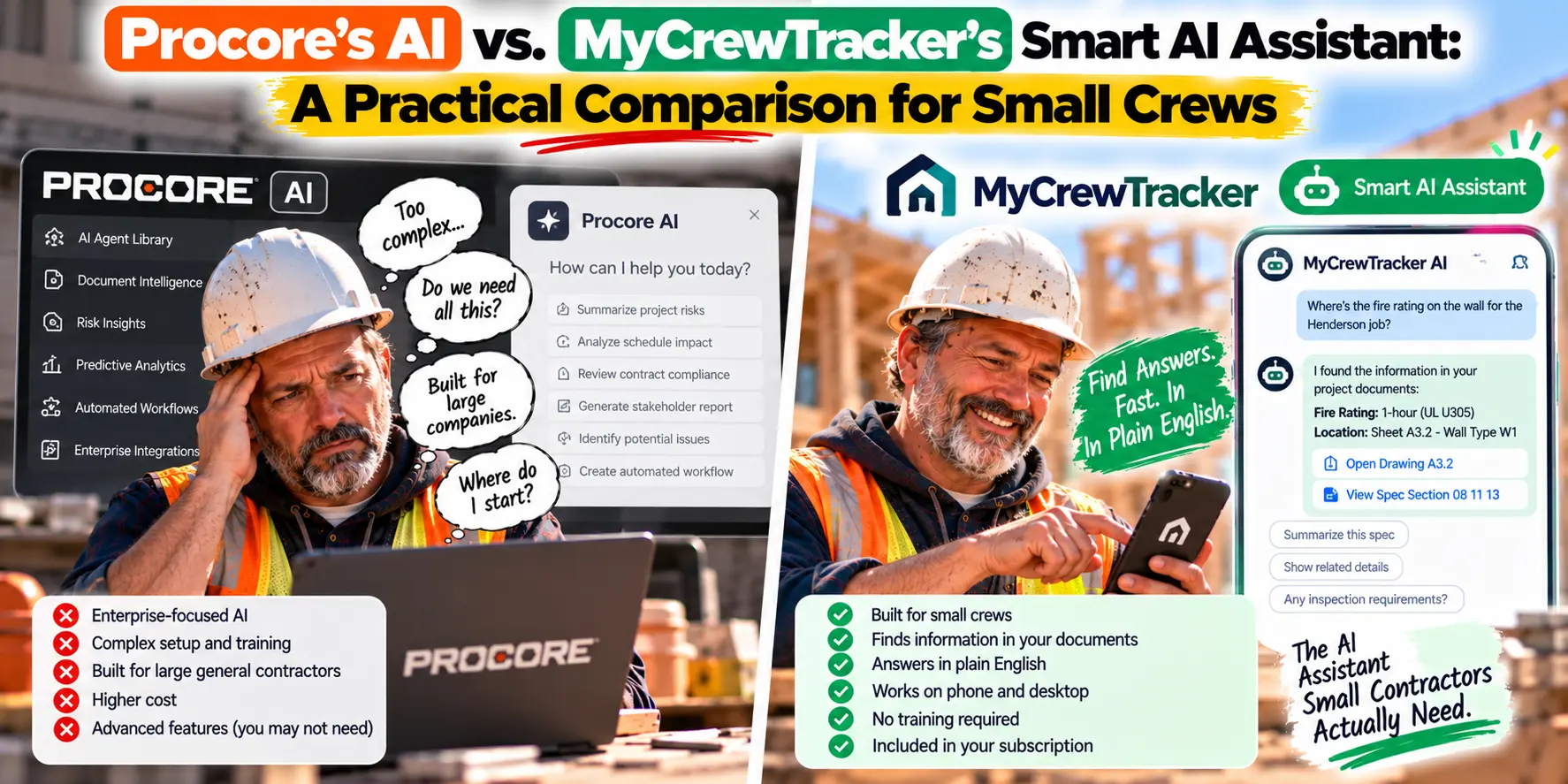
The pattern is clear. Procore's AI is powerful, but it's built for organizations that have already invested in Procore's ecosystem, trained their teams, and configured their data. MyCrewTracker's Smart AI Assistant is built for the contractor who just needs an answer—right now, on a phone, without a manual.
A Real-World Scenario: Finding the Fire Rating
Let's walk through a scenario that happens on every commercial job, every week.
The situation: You're a small crew doing a tenant improvement. The inspector is coming tomorrow. He asks a simple question: "What's the fire rating on the corridor wall?"
You know it's in the spec book somewhere. But your spec book is a 400-page PDF. You don't have time to scroll.
With enterprise AI: You open Procore. You navigate to the AI side panel. You ask the question. If your Document Management tool is connected and your AI agents are configured, you get an answer. If not—or if the document tool isn't yet supported by Procore AI—you're back to scrolling.
With MyCrewTracker: You open the app on your phone. You type: "What's the fire rating on the corridor wall?" The Smart AI Assistant reads your plans, specs, permits, RFIs, and change orders. It returns the answer with the source highlighted.
Three seconds. On a phone. No configuration.
That's the difference between AI that requires infrastructure and AI that just works.
The "No Training Required" Difference
This is the feature that matters most for small crews, and it's the one enterprise AI consistently misses.
Procore's AI requires learning. There are Digital Coworker packages to understand. Agent libraries to explore. Skills to configure. Control Tower dashboards to monitor usage. For a large contractor with a dedicated innovation team, that's manageable. For a five-person crew, it's a barrier.
MyCrewTracker's Smart AI Assistant requires no training. It works like a text message. You type a question in plain English—the same way you'd text your foreman—and you get an answer.
Here's the test: Can your 52-year-old foreman figure it out on his own? If the answer is yes, it's the right tool. If the answer is no, it's not built for your crew.
What This Means for Small Contractors
The AI conversation in construction is dominated by enterprise platforms. But the contractors who benefit most from AI aren't the ones with the biggest budgets. They're the ones with the most to gain from finding information faster—which is small crews.
Every hour your foreman spends hunting for a spec detail is an hour not spent managing work. Every evening your project manager spends assembling reports is an evening not spent resting. AI that eliminates those burdens doesn't need to be complex. It just needs to work.
MyCrewTracker's Smart AI Assistant is built on a simple premise: the best AI is the AI you actually use.
It's included at $40/month flat—with unlimited projects, unlimited documents, and unlimited users. It works on phones. It requires no training. And it comes with a 14-day full-feature free trial—no credit card required.
If you want to see what AI actually feels like on a small crew, load a real project. Ask the assistant a question you'd normally spend twenty minutes searching for. See how it feels to get the answer in three seconds.
That's the practical utility enterprise AI keeps missing.
Ready to try AI that works without the learning curve? Start your 14-day free trial of MyCrewTracker and ask the Smart AI Assistant your first question. No credit card required.
