
Mention "Artificial Intelligence" to a general contractor or trade business owner, and you will almost certainly get an eye-roll. And for good reason.
For the past two years, enterprise software marketing has bombarded the construction industry with buzzwords: predictive generative digital twins, autonomous robotic site scans, and neural network scheduling models. If you are running a $200M commercial skyscraper project with a 40-person engineering department, those enterprise tools might justify their seven-figure budgets.
But if you are a residential remodeler, custom home builder, or specialty trade subcontractor (framing, concrete, electrical, plumbing, or HVAC) running a 3- to 15-person crew, you do not need a robotic dog walking your job site. You need practical, field-level artificial intelligence that solves the daily paperwork friction that steals your time and eats your profit.
In 2026, forward-thinking small contractors are quietly using AI as a massive competitive multiplier. They are not writing computer code or hiring IT consultants. Instead, they use lightweight mobile AI to do three concrete things every single day:
- Instant Blueprint & Spec Search: Finding exact structural details, anchor bolt spacing, or moisture barrier specs across 150-page PDF drawing sets in under five seconds—right on a smartphone screen.
- Speech-to-Structured Daily Logs: Speaking a 45-second voice note on the tailgate and watching AI transform it into a professional, legally enforceable Daily Report with automated NOAA weather stamps.
- Automated Change Order Justifications: Snapping three photos of unforeseen site obstacles and having AI generate formal contractual scope descriptions that clients sign immediately on site.
Below is a no-nonsense, practical operational guide to how small contractors are deploying AI on real job sites in 2026, complete with the exact prompts and workflows that protect your project margins.
Beyond the Hype: What Practical AI Looks Like on a Jobsite in 2026
To understand why AI has become indispensable for small crews, consider the traditional administrative bottleneck that plagues every construction business: the information retrieval tax.
A lead carpenter or job foreman spends an average of 45 to 70 minutes every single day simply searching for information. He is flipping through dog-eared paper blueprint sets in the back of a pickup truck, scrolling through endless email threads to find an architect's specification clarification, or answering repetitive phone calls from subcontractors asking what trade rough-ins are scheduled next.
The Real Cost of Slow Information: If an apprentice frames a rough window opening using an outdated revision because finding the revised window schedule took too long, the resulting rework costs an average of $2,400 in wasted labor and ruined materials. Slow information on a job site directly creates defects, delay claims, and unbilled extra work.
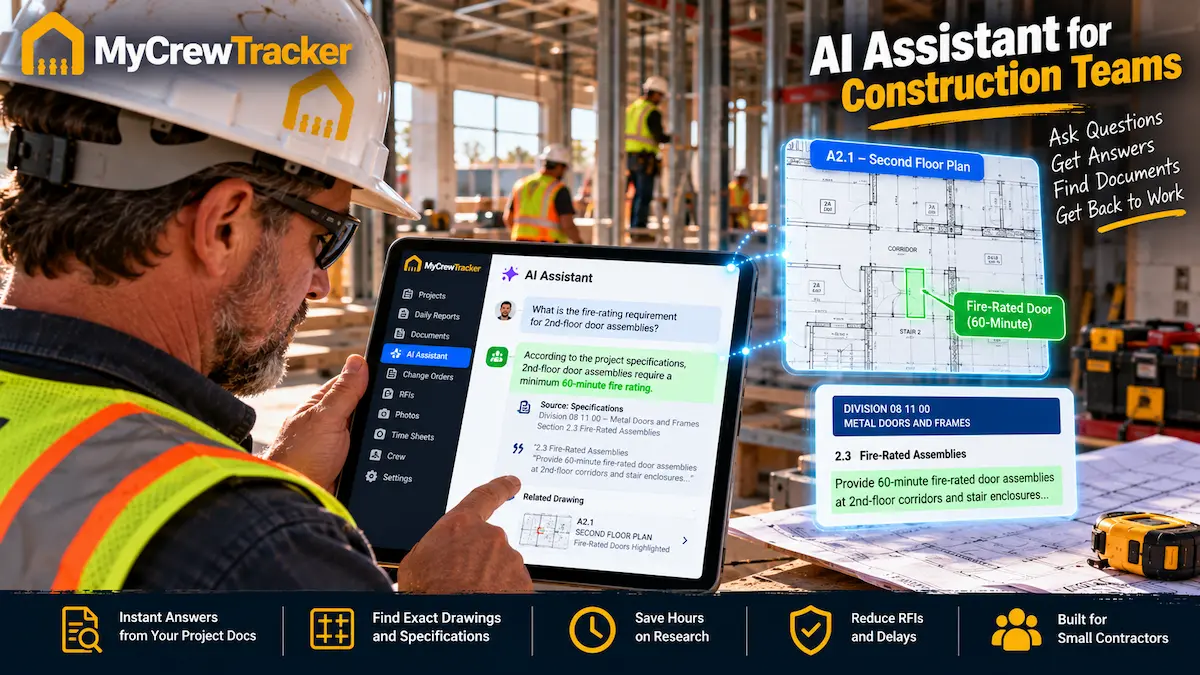
Practical AI eliminates this friction by serving as a 24/7 digital project engineer residing inside your mobile phone. You do not search through folders or decipher index tables; you simply ask plain-English questions and get instant, grounded answers with direct citations to the architectural drawings.
Workflow #1: Smart Spec Search — Querying 200-Page Drawing Sets in 5 Seconds
The most transformative AI capability available to trade contractors today is Semantic Vector Document Retrieval (commonly known as Smart Spec Search).
In MyCrewTracker, you upload your project's PDF plan sets, architectural specification manuals, and structural engineering notes directly into the project hub. In the background, the AI indexes every text layer, drawing note, schedule table, and callout box into a searchable knowledge base.
When your foreman is standing on a foundation wall with a tape measure, he does not have to walk back to the truck or call the office. He taps the Smart AI Assistant on his phone and types or speaks:
Foreman asks: "What is the required concrete compressive strength and maximum slump for the basement foundation walls?"
Smart AI Assistant Response (in 3.2 seconds):
"Per Structural Drawing Sheet S-1.2, General Note 3.B, concrete for all foundation walls shall have a minimum 28-day compressive strength of 4,000 PSI with a maximum water-cement ratio of 0.45. Maximum slump is specified at 4 inches (±1 inch) prior to the addition of any approved superplasticizer."
Project Manager asks: "Can we drill 3-inch plumbing penetrations through the engineered floor joists in the second-floor master bath?"
Smart AI Assistant Response (in 2.8 seconds):
"Per Architectural Drawing Sheet A-4.1, Framing Detail 6 and Manufacturer Spec Sheet Section 06 17 00: Holes up to 3 inches in diameter are permitted only within the middle third of the joist span, maintaining a minimum 2-inch clearance from top and bottom flanges. No holes may be drilled within 12 inches of any bearing support."
Notice what makes this revolutionary: the AI does not just give an answer—it gives the exact sheet number, detail reference, and section citation. Your foreman has immediate, verified confidence that he is building to the approved engineer's specification.
Workflow #2: Voice-to-Structured Daily Logs — From Tailgate Mumble to Legal Shield
Ask any foreman to type a three-paragraph daily report on an iPhone keyboard after working a 9-hour shift in 90-degree heat, and you will get one of two things: a blank log, or a three-word summary that says "Framed walls today."
Raw voice dictation (like Apple Siri or Google Dictation) does not solve this problem. It simply dumps an unpunctuated wall of text containing background diesel noise, filler words ("um", "ah"), and disorganized thoughts.
MyCrewTracker's AI Speech-to-Structure Engine completely reinvents this workflow. The foreman simply taps the microphone icon on Easy Desk and speaks naturally for 45 seconds while walking to his truck:
Raw Foreman Voice Input (42 Seconds):
"Hey Dave, it's Hector on the Oak Ridge job. We had four carpenters on site today plus two apprentices. Finished sheathing the second-story roof. Four pallets of architectural shingles arrived from ABC Supply around 11. Ran into a major delay at 1:30 when high winds hit 35 miles an hour so we had to stop roof work for safety reasons and moved inside to frame interior basement partitions. Also plumbing sub never showed up so we couldn't close up the laundry chase."
In less than three seconds, MyCrewTracker's AI parses that audio stream and automatically structures it into a pristine, audit-ready daily log:
Completed OSB sheathing on second-story roof structure. Framed interior non-load-bearing basement partition walls.
4 Journeyman Carpenters, 2 Apprentices (36 Total Man-Hours).
ABC Supply: 4 pallets architectural shingles received & inspected.
• Safety Weather Stoppage (13:30): Sustained winds exceeding 35 MPH forced shutdown of elevated roofing work per OSHA guidelines. Crew reassigned to interior basement framing.
• Trade Interference: Mechanical/Plumbing trade subcontractor failed to mobilize to site. Laundry wall chase closure postponed.
Because the AI automatically tags the delay with certified NOAA weather data and exact timestamps, this daily report serves as an unassailable legal defense if the general contractor attempts to assess liquidated damages for a schedule overrun weeks later.
Workflow #3: Auto-Drafting Contractual Change Orders & T&M Backup
The single largest leak in small contractor profitability is unbilled out-of-scope work.
When an owner or project architect requests an on-site change—such as adding structural blocking for a heavy chandelier, lowering a dropped soffit, or hand-excavating around an unforeseen gas line—the foreman usually agrees verbally. He plans to write it down later. But after a long week, the paperwork is forgotten, and thousands of dollars in legitimate labor and material costs evaporate.
With MyCrewTracker, the foreman opens the Change Orders module on Easy Desk, snaps two photos of the obstacle, and dictates the issue. The AI Assistant immediately drafts a contractual Change Order Directive:
- Formal Scope Description: Written in contractual language that specifies unforeseen site conditions, work procedures, and code compliance.
- Cost Breakdown: Calculates estimated labor hours, equipment rental, and material markups based on your company's predefined rate sheets.
- Instant Tailgate E-Signature: Hands the phone to the homeowner or general contractor superintendent to capture their digital signature on the glass before the crew cuts a single piece of wood.
The verbal handshake is instantly converted into an enforceable legal contract that pushes directly to QuickBooks Online as a pending invoice.
Enterprise AI vs. Jobsite AI: Procore Copilot vs. MyCrewTracker Smart Assistant
How does field-ready AI in MyCrewTracker compare against enterprise AI systems like Procore Copilot?
| Feature / Dimension | Procore Copilot | MyCrewTracker Smart Assistant |
|---|---|---|
| Annual Software Cost | $15,000 to $25,000+ / yr (Volume Tax) | $480 / yr ($40/mo) flat rate |
| AI Add-On Fees | Premium enterprise tier requirement | $0 (Included on all plans) |
| Target User | Enterprise project executives & data analysts | Job foremen, trade leads & small GCs |
| Blueprint Spec Search | Complex desktop query builder | 1-tap plain-English voice Q&A on phone |
| Daily Log Formatting | Requires extensive field form completion | Speech-to-structured log in 90 seconds |
| Learning Curve | Weeks of corporate software training | Under 5 minutes without training |
For a complete side-by-side analysis, see our in-depth guide on Procore's AI vs. MyCrewTracker's Smart AI Assistant.
The 5-Prompt Jobsite Playbook: What Foremen Ask AI Every Day
You do not need to be a "prompt engineer" to extract massive value from construction AI. Here are the five exact prompt templates successful foremen use daily:
"What is the required fastening pattern and nail schedule for the shear wall sheathing on Sheet S-2.3?"
Prevents structural framing inspection failures before the city building inspector arrives.
"Does the electrical subcontractor's scope of work include low-voltage wiring for the kitchen under-cabinet LED drivers, or is that by GC?"
Stops trade finger-pointing and coordinates rough-in schedules before drywall installation.
"Draft a formal 1-paragraph weather delay notice for the project architect citing today's NOAA precipitation and ground temperature that prevented exterior masonry."
Generates contract-compliant delay documentation that protects against liquidated damages.
"Draft a formal RFI regarding the dimension conflict between the architectural floor plan on A-1.1 and the structural foundation drawing on S-1.0 for the garage bearing wall."
Maintains an unalterable paper trail when architect drawings contradict structural plans.
"Based on the finish schedules for Units 101-104, create a trade-specific punch list for the drywall and paint subcontractors prior to final walk-through."
Ensures zero punch list surprises during the owner's final pre-occupancy inspection.
Frequently Asked Questions: AI for Small Contractors
Does the AI "hallucinate" or invent false blueprint specifications?
No. Public AI chatbots (like general ChatGPT) can sometimes invent answers because they draw from the entire open internet. MyCrewTracker uses Document-Grounded Retrieval Augmented Generation (RAG). The AI is strictly constrained to your uploaded project blueprints, architectural spec books, and contracts. If an answer is not explicitly contained within your project documents, the system states: "This specification is not found in the uploaded drawings; please submit an RFI to the architect."
Is my company's pricing, bid takeoffs, and client data kept private?
Yes. Your company's blueprints, daily logs, client contracts, and cost codes are encrypted end-to-end and stored in an isolated, secure database. Your data is never shared with competitors, sold to third parties, or used to train public commercial AI models.
Do my field foremen need technical training to use AI?
Zero training is required. In MyCrewTracker's Easy Desk mode, foremen interact with the AI using familiar voice dictation or simple one-tap quick prompt cards. If a worker knows how to send a voice text message on an iPhone or Android device, they already know how to use MyCrewTracker's AI.
How much does the AI Assistant cost?
Unlike enterprise platforms that charge thousands of dollars for AI add-on modules, MyCrewTracker includes the Smart AI Assistant on all plans with zero token surcharges. You pay our standard flat rate of $40/month billed annually ($480/yr) or $60/month month-to-month with unlimited users and projects.
The Final Verdict: Practical AI Is the Great Equalizer for Small Contractors
In construction, the winners in 2026 are not the enterprise giants with bloated technology budgets. The winners are lean, agile small contractors who equip their field crews with high-speed documentation and instant specification intelligence.
When your 5-man crew can search blueprints in five seconds, submit daily reports in 90 seconds, and capture client signatures on change orders on site, you operate with the legal protection and operational discipline of a $50M commercial builder—for just $40 a month.
Put Practical AI on Your Jobsite Today
Experience Smart Spec Search, 90-second voice daily logs, and mobile change orders. Unlimited users for just $40/month.
