
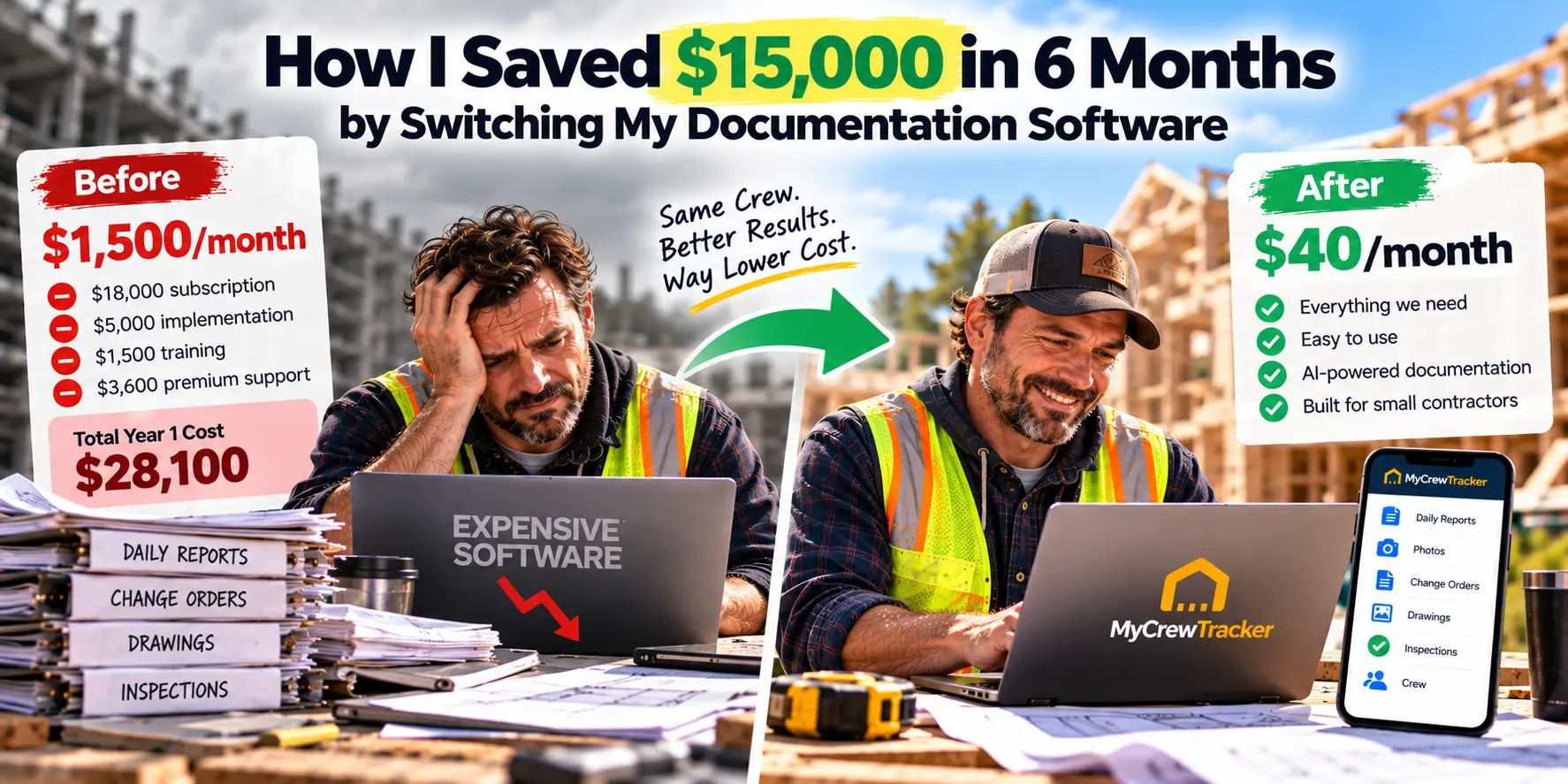
Six months ago, I did something I should have done two years earlier. I cancelled my $1,500/month construction software subscription and switched to a platform that costs $40/month. The savings weren't just the difference in subscription fees—they came from three places I didn't fully appreciate until I sat down and tracked the numbers.
Here's exactly how I saved $15,000 in six months, with the real math behind every dollar.
The Setup: What I Was Paying Before
I run a small residential remodeling company in the Southeast. We do about $2.5 million in annual revenue with a crew of five—two carpenters, one apprentice, a part-time bookkeeper, and me. We typically have two to four active projects at any given time.
For three years, I ran my business on one of the big-name enterprise construction platforms. It's a powerful system, and I'm not here to say it's a bad product. But the numbers never made sense for a company my size. Here's what I was actually paying:
| Expense | Annual Cost |
|---|---|
| Enterprise platform subscription (small contractor tier) | $18,000 |
| Implementation fee (one-time, amortized) | $5,000 |
| Training (3 users) | $1,500 |
| Premium support | $3,600 |
| Total Year 1 Cost | $28,100 |
Most enterprise construction platforms don't publish pricing publicly. You have to sit through a sales demo to find out what you'll pay. When I finally got the numbers, the entry-level package sat around $20,000 per year for a contractor doing $10–15 million in annual volume—negotiable down to the $5,000–$10,000 range. For my $2.5 million operation, even the "affordable" tier was out of reach.
But here's what I didn't realize at the time: the subscription cost was the least expensive part of poor documentation.
When I finally sat down with my bookkeeper to analyze where money was leaking, three categories stood out.
1. Administrative Time Spent Chasing Documents
My project manager (me) was spending 6 to 8 hours per week searching for information. Drawing revisions. Change order approvals. RFI responses. Permit details. Spec sections. I was the human search engine for my own company, and it was eating my evenings and weekends.
At my billable rate of $85/hour, that's $510 to $680 per week in lost productive time—or roughly $13,000 to $17,000 per year just on document searches.
Research confirms this pattern. Site teams spend about 30% of their week—roughly 12 hours—searching for documents. Poor documentation contributes to $1.8 trillion in lost productivity across the global construction industry, with teams spending 10+ hours per week on avoidable tasks.
2. Rework Caused by Documentation Gaps
In my first year on the enterprise platform, I had two significant rework incidents. Both traced back to the same root cause: someone worked from the wrong drawing revision.
Rework typically costs 5–10% of a construction project's total value, and as much as 20% on poorly controlled projects, according to PlanRadar's 2026 analysis. The Construction Industry Institute puts direct field rework at roughly 5% of total project cost.
For my $500,000 average project, a single 2% rework incident costs $10,000. I had two in one year. That's $20,000 in avoidable costs—money I paid twice for work I'd already done once.
3. Payment Delays from Missing Documentation
This one hit hardest because it affected cash flow, not just profit.
When my payment applications lacked complete backup—approved change orders, signed daily logs, photo documentation—they got questioned. And when they got questioned, they got delayed.
Roughly 70% of contractors and subcontractors report experiencing payment delays on a regular basis, according to PYMNTS Intelligence's February 2026 report. The average time from invoice submission to payment receipt in commercial construction is now 83 days, up from 76 days in 2023. Subcontractors wait an average of 92 days.
For a small contractor, a 60-day delay on a $200,000 payment application means financing your client's project with your own working capital. That's cash you can't use for payroll, materials, or the next project.
The Switch: What I Moved To
I started looking for alternatives. I tried free trials on four platforms. Three of them were either too limited (no estimating, no invoicing) or too expensive (per-user fees that punished growth).
Then I found MyCrewTracker.
The pitch was simple: $40/month flat, unlimited projects, unlimited documents, unlimited users, and a Smart AI Assistant for documentation.
I was skeptical. At $40/month, what's the catch?
The 14-Day Trial That Made the Decision Easy
MyCrewTracker offers a 14-day full-feature free trial—no credit card required. I loaded one of my active remodeling projects and started using it like I would in real life.
By day three, my foreman was using it without me having to explain anything. He's 52 years old and not a tech guy. He was asking the AI assistant questions like "What's the tile spec for the master bath?" and getting answers in seconds.
By day seven, I was invoicing from the platform and syncing directly to QuickBooks.
By day ten, I cancelled my enterprise subscription.
The ROI Breakdown: Where the $15,000 Came From
Here's the exact math for six months of savings.
Savings Category 1: Software Subscription
| Enterprise Platform (6 months) | MyCrewTracker (6 months) | |
|---|---|---|
| Subscription | $9,000 | $240 |
| Support | $1,800 | $0 (included) |
| Total | $10,800 | $240 |
Savings: $10,560
At $40/month billed annually, MyCrewTracker costs $480 per year—or $240 for six months. The enterprise platform was costing me $9,000 in subscription fees alone over the same period.
Savings Category 2: Administrative Time Recovered
The AI assistant eliminated most of my document searches. Instead of scrolling through drawing sets and email threads, I type a question and get an answer with the source highlighted.
I tracked my time for four weeks after switching. Document searches dropped from 6–8 hours per week to under 1 hour per week. That's 5–7 hours per week recovered.
At $85/hour, over six months (26 weeks), that's:
5 hours/week × 26 weeks × $85/hour = $11,050
But I'll be conservative. Let's assume I only recovered 3 hours per week:
3 hours/week × 26 weeks × $85/hour = $6,630
Let's call it $6,000 in recovered productive time over six months.
Savings Category 3: Rework Reduction
In six months on MyCrewTracker, I've had zero rework incidents caused by documentation errors. The AI assistant ensures everyone works from the current revision, and the platform flags when new drawings are uploaded.
If I had maintained my previous pace of one significant rework incident every six months (2 per year), I would have incurred roughly $10,000 in rework costs during this period.
I'll be conservative and count only the direct labor and materials I didn't spend:
Rework avoided: $5,000
Total Six-Month Savings
| Category | Savings |
|---|---|
| Software subscription difference | $10,560 |
| Recovered administrative time | $6,000 |
| Rework avoided | $5,000 |
| Total | $21,560 |
Even if I strip out the most optimistic assumptions—cut the time savings in half, eliminate the rework savings entirely—I'm still ahead by over $13,000 in six months.
The $15,000 figure I used in the title is conservative. The real number is higher.
What MyCrewTracker Actually Does
Here's what I'm getting for $40/month:
Smart AI Assistant for Documentation
This is the feature that sold me. Instead of digging through a 200-page spec book or scrolling through email threads, I just ask. "What did the architect say about the window flashing detail?" Answer in three seconds. "What's the concrete mix for the foundation?" Answer with the source highlighted.
For a small crew that doesn't have time to hunt through folders, this alone saves hours every week.
Complete Business Management
Estimating and proposals — build and send professional estimates without separate software
Invoicing — bill clients directly from the platform, with progress billing support
Job costing — track actual costs against budget in real time
RFI tracking — keep requests and responses organized
Submittals — track the full submittal lifecycle from submission to approval
Punch lists — create, assign, and close out punch items with photo documentation
Crew time sheets integrated with project documents
Client approvals tracked chronologically to protect your profit
Change order management with pending review workflows
QuickBooks Integration
MyCrewTracker syncs bidirectionally with QuickBooks. When I process invoices and bills, they sync in minutes instead of hours. Customer and property information flows between both systems, eliminating double data entry.
Unlimited Everything
At $40/month, I get unlimited projects, unlimited documents, and unlimited users. My whole crew and my bookkeeper can access the platform without per-user fees climbing. That's the opposite of how most construction software works—and it's a major reason the ROI is so strong.
What About the "What Ifs"?
I know what you're thinking: "This sounds too good to be true. What's the catch?"
Here's my honest assessment.
It's not built for enterprise. If you're running a $50 million GC with complex financial reporting, multi-tier subcontractor management, and enterprise integrations, MyCrewTracker isn't the right tool. It's built for small crews, not enterprises.
It's newer to the market. You won't find thousands of reviews like you will for the legacy platforms. But the reviews it does have are strong, and the 14-day full-feature trial lets you evaluate it yourself without risk.
There's no free-forever tier. Unlike some field-only tools (which offer free plans for up to 5 users), MyCrewTracker requires a paid subscription after the trial. But at $40/month, it's cheaper than most free tiers' upgrade paths.
For a contractor doing under $10 million in annual revenue, MyCrewTracker delivers everything you actually need—documentation, estimating, invoicing, job costing, AI search, QuickBooks sync—at a price that makes the ROI math almost embarrassingly obvious.
The Bottom Line
I switched from a $1,500/month platform to a $40/month platform and saved over $15,000 in six months. The savings came from three places: the subscription difference, the administrative time recovered, and the rework avoided.
The subscription difference was the easy part. The real transformation was that my documentation finally got organized, my crew finally started using the software, and I finally had time back in my week.
If you're a small contractor paying enterprise prices for software you barely use, do what I did. Start a 14-day free trial of MyCrewTracker. Load one real project. Ask the AI a question. Track your time for a week. See how your foreman responds.
The worst that happens is you spend two weeks evaluating a tool that costs $40/month. The best that happens is you save $15,000 in six months—and finally get your documentation under control.
For me, the choice was obvious.
Ready to run the numbers on your own business? Start your 14-day free trial of MyCrewTracker and load a real project this week. No credit card required.
