
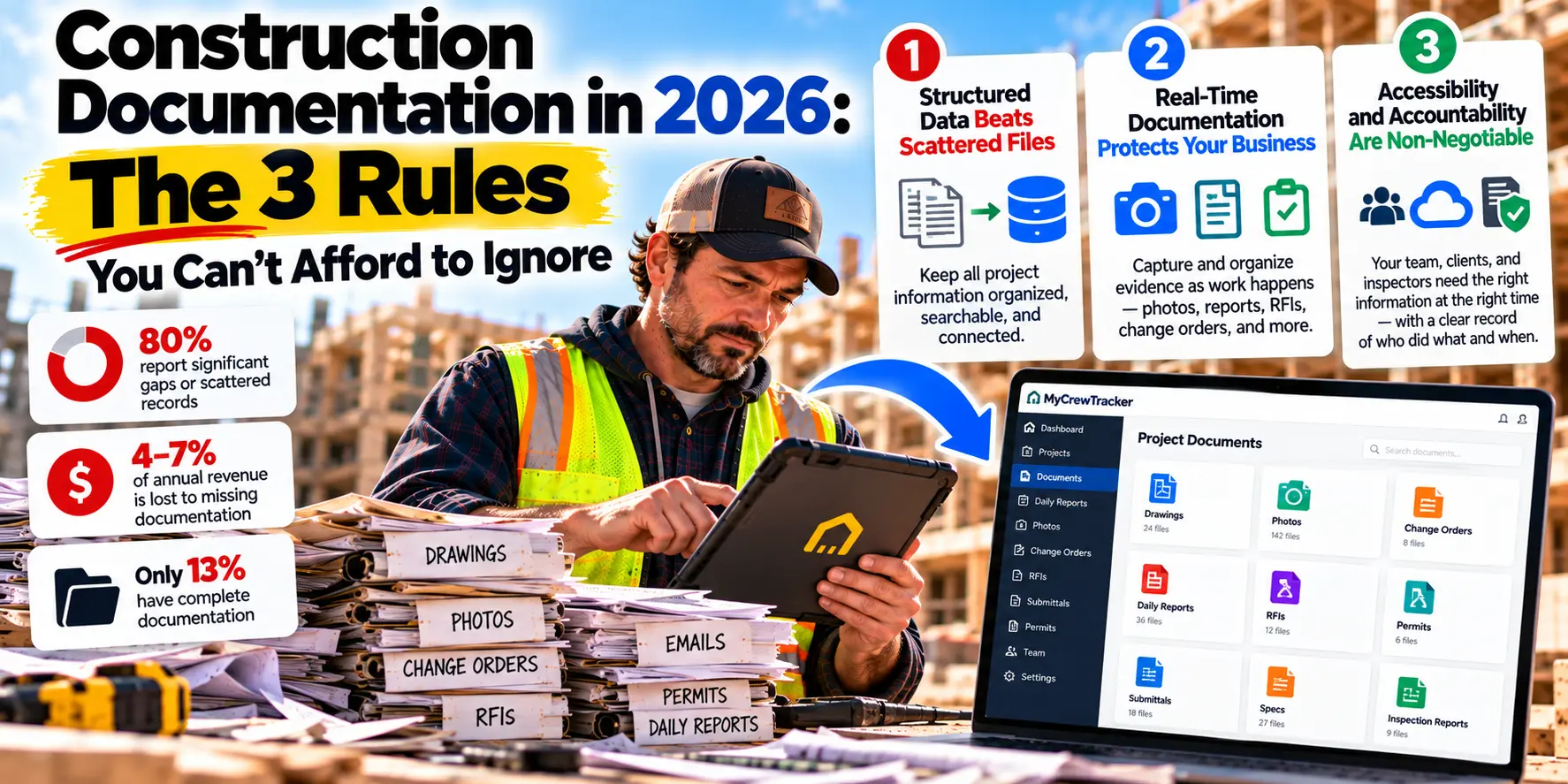
Something shifted in construction over the past twelve months. Not a new piece of equipment. Not a new building code. A new set of expectations about how documentation works—and the contractors who haven't adapted are already paying for it.
The numbers tell the story. Only 13% of AEC professionals describe their asset documentation as fully or mostly complete, while nearly 80% report significant gaps or largely scattered records. Nearly two-thirds estimate that 4% to 7% of annual revenue is lost to inefficiencies caused by missing documentation—and another 17.9% put that figure above 7%.
This isn't a technology problem. It's a structural failure in how the industry handles information.
For small contractors, the stakes are higher than for anyone else. You don't have a documentation department. You don't have an IT team. You have a foreman, a bookkeeper, and yourself—trying to manage projects worth hundreds of thousands of dollars with tools that were never built for the job.
The good news: the rules have changed in your favor. The tools that were once reserved for enterprise contractors are now available at prices that make sense for small crews. But to take advantage of them, you need to understand what's actually changed.
Here are the three rules of construction documentation in 2026. Ignore them at your own risk.
Rule #1: Structured Data Beats Scattered Files
For decades, construction documentation meant files. Drawings in a folder. Specs in a binder. Photos in a camera roll. RFIs in an email thread. Change orders in a spreadsheet.
The problem isn't that files are bad. It's that files don't connect. A drawing doesn't know which RFI references it. A photo doesn't know which change order it supports. A daily report doesn't know which cost code it belongs to.
When information is scattered across disconnected files, every question requires manual assembly. And every manual assembly is an opportunity for error, delay, and dispute.
What "Structured Data" Actually Means
Structured data means information is organized in a way that systems can understand and connect. Instead of a PDF drawing sitting in a folder, you have a drawing with metadata: revision number, upload date, discipline, sheet number, and relationships to other documents.
Instead of a photo in a camera roll, you have a photo tagged with project, location, date, and the task it documents.
Instead of an RFI in an email thread, you have an RFI with a status, an owner, a due date, and links to the drawings and specs it references.
Here's the difference in practice:
| Scattered Files | Structured Data |
|---|---|
| "Which revision is current?" requires checking multiple files | Revision status is automatic and visible |
| Photos are organized by date taken, not by location | Photos are searchable by project, area, and date |
| RFIs get lost in email threads | RFIs have status, owner, and due date |
| Change orders are tracked in spreadsheets | Change orders link to original scope, photos, and approvals |
The industry is moving in this direction fast. AI-powered drawing upload now automatically extracts sheet numbers and titles from PDFs, replacing workflows that required manual configuration. Specification books are segmented into structured divisions and sections automatically, replacing time-consuming manual indexing.
For small contractors, structured data means one thing: you stop assembling pictures and start making decisions.
Rule #2: AI-Driven Workflows Beat Manual Processes
The biggest change in construction documentation over the past two years isn't a new feature. It's a new capability: software that finds information for you.
In 2026, AI isn't about robots or self-driving equipment. It's about asking a question in plain English and getting an answer in seconds. It's about daily reports that draft themselves from data your crew already generated. It's about photos that tag themselves by location and content.
What AI Actually Does in Documentation
The most useful AI in construction documentation today does three things:
Finds information. Instead of scrolling through a 200-page spec book or searching email threads, you ask a question. "What's the concrete mix for the foundation?" The AI reads your plans, specs, permits, RFIs, and change orders—and returns the answer with the source highlighted.
Organizes information. AI-powered document tools automatically extract metadata from drawings, categorize specs, and tag photos by location and content. The organization happens as a byproduct of the work, not as a separate task.
Drafts information. Daily reports, RFI summaries, and change order backup packages can be assembled automatically from the data your crew already captures. The human reviews and approves. The AI does the assembly.
Why This Matters for Small Crews
The industry is losing time at an alarming rate. Construction professionals spend 35% of their time—more than 14 hours a week—on non-productive activities, much of it related to document management. Site teams spend about 30% of their week searching for documents.
For a small contractor, that's not just lost time. It's lost margin. Every hour your foreman spends hunting for a drawing is an hour not spent managing work. Every evening your project manager spends assembling reports is an evening not spent resting or planning.
AI doesn't replace your judgment. It eliminates the administrative burden that keeps you from using it.
Rule #3: Real-Time Visibility Beats Month-End Reports
The third rule is the hardest for many contractors to accept: you can no longer afford to manage with a rearview mirror.
For decades, construction has operated on a monthly rhythm. Job costs get reconciled at month-end. Payment applications go out on a schedule. Problems get identified weeks after they occur.
That rhythm doesn't work anymore. Not when margins are thin. Not when payment delays are the norm. Not when the difference between a profitable job and a losing one often comes down to catching a problem in week two instead of week six.
The Real-Time Standard
Real-time visibility means you can answer basic questions right now, not at the end of the month:
Where is this job versus budget?
Which change orders are approved and which are pending?
What did we spend on labor this week versus last week?
Which drawings have been superseded?
What did the client approve, and when?
The data supports this shift. 70% of contractors and subcontractors report experiencing payment delays on a regular basis—a reality that has become embedded in the industry's operating model. Construction firms face the longest payment delays of any industry, waiting an average of 143 days for payment.
When payment cycles are this long, every day of delayed billing matters. Real-time documentation isn't a luxury. It's the difference between financing your client's project and getting paid for your own work.
How Real-Time Visibility Changes Decisions
Here's what changes when you have current information:
You catch problems early. A labor overrun in week two can be corrected. The same overrun discovered at month-end is a loss.
You bill faster. Complete pay applications go out sooner because the backup is already assembled. Change orders get billed because they're documented in real time.
You make better decisions. Hiring, equipment purchases, and project selection all improve when you know where you actually stand.
What This Means for Small Contractors in 2026
The three rules—structured data, AI-driven workflows, real-time visibility—aren't abstract principles. They're the operating standard for construction documentation in 2026.
And here's the good news: you don't need an enterprise budget to meet them.
The subscription model that has matured across construction software in 2026 offers increased flexibility and scalability, with lower up-front costs and more predictable ongoing expenses. The tools that were once reserved for large contractors are now available at prices that make sense for small crews.
The question isn't whether these changes are coming. They're already here. The question is whether you'll adopt them before your competitors do.
Where MyCrewTracker Fits
MyCrewTracker was built from the ground up to meet the three rules of construction documentation in 2026. At $40/month flat—with unlimited projects, unlimited documents, and unlimited users—it gives small contractors the tools to compete with anyone.
Here's how it maps to each rule:
Rule #1: Structured Data. MyCrewTracker organizes every document—drawings, specs, permits, RFIs, submittals, change orders, photos—in one connected platform. Information is linked and searchable, not scattered across folders.
Rule #2: AI-Driven Workflows. The Smart AI Assistant lets you ask questions in plain English and get answers from your project documents with sources highlighted. Daily reports draft from photos and time sheets. Change order backup assembles automatically.
Rule #3: Real-Time Visibility. Job costing updates in real time. Approvals are timestamped. Payments sync to QuickBooks automatically. You know where every job stands without assembling spreadsheets.
And it comes with a 14-day full-feature free trial—no credit card required—so you can load a real project and see how it handles the problems your current system can't.
The Bottom Line
Construction documentation changed in 2026. The old rules—files in folders, manual processes, month-end reports—don't work anymore. The new rules are structured data, AI-driven workflows, and real-time visibility.
The contractors who thrive won't be the ones with the biggest budgets. They'll be the ones who recognized the shift early and adopted tools that work the way construction actually works.
Start your 14-day free trial of MyCrewTracker. Load a real project. Ask the AI a question. See what it feels like to have documentation that works.
The rules have changed. It's time to play by the new ones.
Ready to meet the 2026 standard? Start your 14-day free trial of MyCrewTracker and load a real project this week. No credit card required.
