
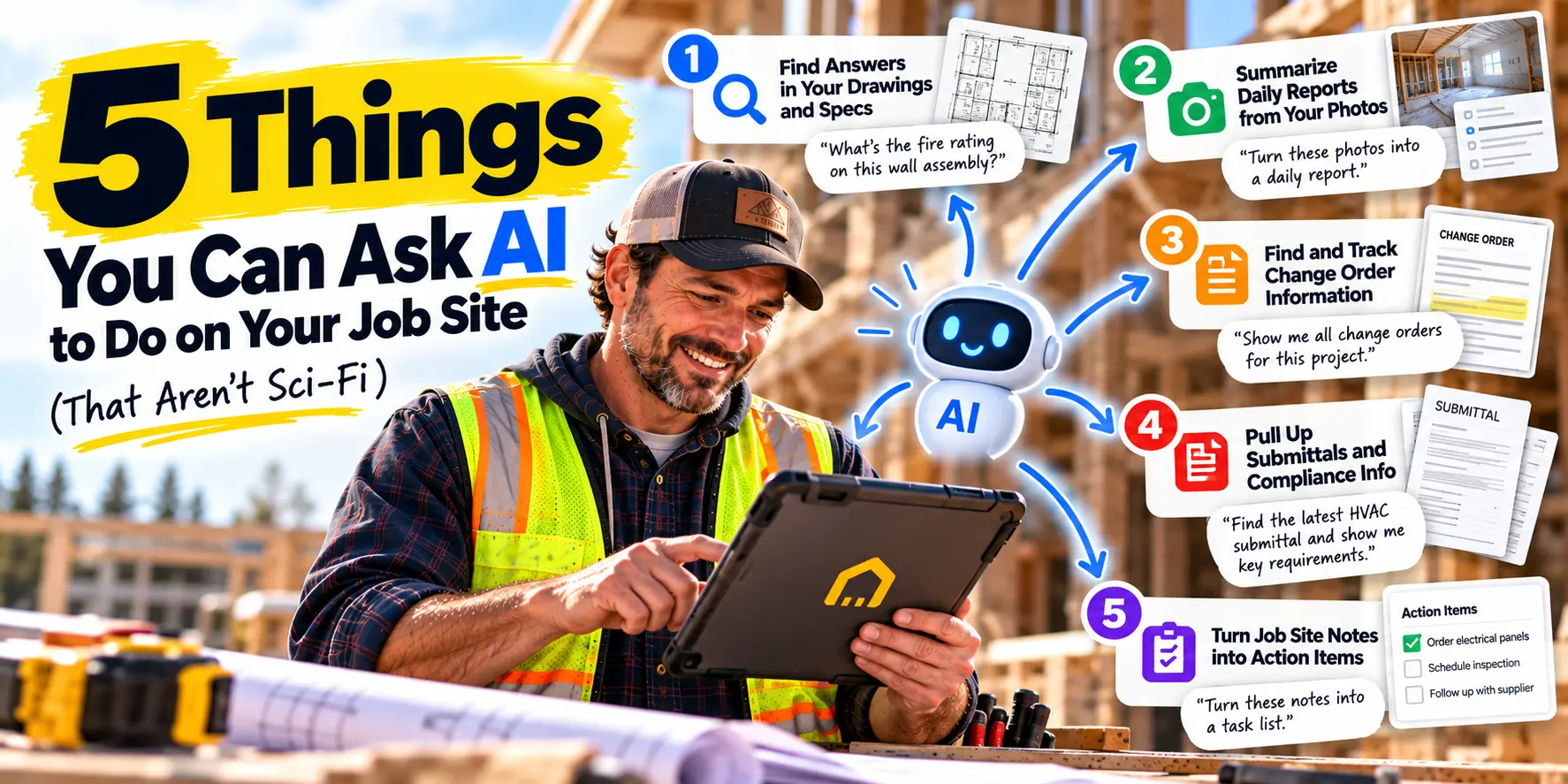
Let's be honest about AI for a second. When most contractors hear the phrase "artificial intelligence," they picture robots walking job sites, self-driving excavators, or some dashboard that promises to predict the weather six months out. It sounds expensive, complicated, and—frankly—irrelevant to a crew of six trying to finish a kitchen remodel on budget.
That's not what AI actually does for small contractors in 2026. The useful AI isn't science fiction. It's the kind of quiet, boring, everyday help that saves you fifteen minutes here and forty-five minutes there—and by the end of the week, you've recovered an entire day.
Here's what AI can actually do on your job site right now. No robot arms required.
First, Why Contractors Don't Trust AI (And Why That's Fair)
Before we get into the use cases, let's address the elephant in the room.
A 2026 survey of construction leaders found that 57% of contractors don't trust the accuracy of AI outputs. And 49% of smaller firms say cost is the barrier to adoption—compared to only 26% of large firms.
Those concerns are legitimate. If an AI miscalculates a material quantity and you order the wrong amount of lumber, that's your problem, not the software's. If it misreads a spec and your crew installs the wrong assembly, you're eating the rework cost.
So here's the distinction that matters: the AI that's risky is the AI that makes decisions for you. The AI that's useful is the AI that finds information for you.
That's the difference between an AI that guesses at your bid and an AI that answers the question "What's the fire rating on this wall?" by pointing to the exact page in your spec book. One replaces your judgment. The other supports it.
Every use case below falls into the second category. The AI doesn't decide anything. It just finds what you already have, faster.
Use Case 1: Ask a Question, Get an Answer From Your Own Documents
The problem: You need a specific detail buried somewhere in your project documents. A concrete mix design. A window flashing spec. A paint color code. A submittal approval date.
How you handle it today: You open the drawing set. You scroll. You Ctrl+F. You open the spec book. You scroll some more. You check an email thread. You text the architect. Twenty minutes later, you find it—or you guess and hope.
What AI does: You type the question in plain English. "What's the concrete mix for the foundation?" The AI reads your plans, specs, permits, RFIs, and change orders, and returns the answer with the source highlighted.
This isn't magic. It's document indexing—the same technology that lets Google search the web, applied to your project files. The AI doesn't invent an answer. It finds the answer that's already in your documents and shows you where it came from.
Why it matters on a small crew: Your foreman doesn't have time to dig through folders. Your project manager doesn't have time to answer the same question five times. Smart search turns a twenty-minute hunt into a twenty-second query—and it's the single fastest way to see ROI from AI.
Use Case 2: Summarize a Long Email Thread or RFI Chain
The problem: You've got a 40-message email thread about a change in the window schedule. Or an RFI chain that's been bouncing between the architect, the engineer, and the owner for two weeks. You need to know what was decided—and you need to know it now.
How you handle it today: You scroll. You read. You lose track of which message is the latest. You call someone and ask them to explain. You waste half an hour reconstructing a conversation you were already part of.
What AI does: You paste the thread or point the AI at the RFI log. You ask: "What did we decide about the window schedule, and when?" The AI summarizes the chain, flags the final decision, and cites the message where it was made.
Why it matters on a small crew: Information gets buried in email. When you're running multiple jobs, you can't afford to spend thirty minutes reconstructing a conversation. AI gives you the summary in seconds so you can act on it.
Use Case 3: Find Every Photo From a Specific Area or Date
The problem: There's a dispute about whether the waterproofing was installed correctly in the master bath. You know your crew took photos. You just can't find them.
How you handle it today: You scroll through your phone's camera roll. You scroll through your foreman's camera roll. You scroll through a shared drive folder with hundreds of unlabeled images. You give up and hope the client doesn't push the issue.
What AI does: You ask: "Show me all photos from the master bath taken in the last 30 days." The AI filters your photo library by location, date, and project—and returns exactly what you need.
Modern construction photo tools automatically title, caption, categorize, and tag every photo as it's taken. Geo-tagging records where the photo was taken. Machine learning identifies what's in the photo and labels it. The result: a searchable photo archive instead of a camera roll black hole.
Why it matters on a small crew: Disputes are won and lost on documentation. A tagged, searchable photo archive is your best defense against claims—and your best tool for showing a client that the work was done right.
Use Case 4: Draft a Daily Report From What Your Crew Already Logged
The problem: Daily reports are essential. They're also the paperwork nobody wants to do after a ten-hour day. Construction workers spend about 90 hours per year on paperwork alone, and a significant chunk of that is daily reporting.
How you handle it today: Your foreman scribbles notes on a clipboard, takes a few photos, and promises to type it up later. Later never comes. Or it comes three days late, and the details are fuzzy.
What AI does: The AI drafts the daily report from the data your crew already generated—photos from the job site, notes from the foreman, weather data, equipment logs, crew time sheets. The superintendent reviews and approves in minutes instead of writing from scratch.
Why it matters on a small crew: Your foreman gets an hour of their evening back. Your project manager gets consistent, complete daily logs. And your company gets a defensible record of every day on every job—without the paperwork burden that makes crews hate documentation.
Use Case 5: Pull Together a Change Order Backup Package
The problem: You've got a change order that needs approval. You need to assemble the backup: the original scope, the photos of the changed condition, the email where the client approved the work, and the cost breakdown.
How you handle it today: You hunt through email. You hunt through photos. You hunt through the estimate. You assemble it all manually—if you have time. If you don't, the change order sits, the work gets done anyway, and you eat the cost.
What AI does: You ask the AI to pull together everything related to a specific change event. It gathers the relevant photos, the email thread, the original scope, and the cost data—and presents it as a package you can review and send.
Why it matters on a small crew: Change orders are where money is made or lost. A missing signed change order is a cost you eat. AI doesn't replace your judgment about whether to pursue the change—it just makes sure you have everything you need to pursue it, without spending an hour assembling the file.
What AI Is NOT Good For (Yet) at Small-Crew Scale
Honesty matters here. Not every AI feature is worth your money at small-crew scale.
AI that makes decisions for you. If an AI tool is generating your bids or approving your submittals without human review, that's a risk you can't afford. The AI should support your judgment, not replace it.
AI safety monitoring and wearables. These tools exist, but they're built for large enterprise operations with dedicated safety teams. For a crew of six, they're overkill.
AI that requires a tech team. If the AI needs a dedicated administrator to configure and maintain, it's not built for you. The right AI works out of the box.
The lesson: don't buy AI because it's AI. Buy it because it solves a specific problem you have today. For most small contractors, that problem is finding information—not automating decisions.
What to Look For in an AI Documentation Assistant
When evaluating AI features in construction software, focus on these questions:
| Question | Why It Matters |
|---|---|
| Does it cite sources? | You need to verify answers. The AI should show you where the information came from. |
| Can it search across all document types? | Plans, specs, RFIs, submittals, change orders, photos—the AI should read everything. |
| Is it mobile-friendly? | Your crew works in the field. The AI should work on a phone. |
| Is it included in the base price? | Some platforms charge extra for AI. Look for tools where it's built in. |
| Is there a free trial? | Never commit to AI without testing it on real projects. |
How to Start Using AI Without Overwhelming Your Crew
The biggest mistake small contractors make with AI is trying to do too much at once. Here's a practical approach.
Step 1: Start with one question. Pick the thing you search for most often—a spec detail, a drawing revision, a submittal date. Ask the AI that question. See if the answer is accurate and fast.
Step 2: Train your crew on one thing. Show your foreman how to ask the AI a question. Show your project manager how to search for an RFI. Don't overwhelm anyone with features they don't need yet.
Step 3: Measure the time saved. After two weeks, ask your team how much time they're saving on document searches. If the answer is "a few hours a week," you've found your ROI.
Step 4: Expand to the next use case. Once smart search is working, add photo search. Then daily report drafting. The momentum builds.
Where MyCrewTracker Fits
MyCrewTracker includes a Smart AI Assistant for documentation built directly into its platform. At $40/month flat—with unlimited projects, unlimited documents, and unlimited users—it's designed for small crews who want practical AI without the enterprise price tag.
The Smart AI Assistant lets you ask questions in plain English and get answers from your plans, specs, permits, RFIs, and change orders—with the source highlighted. It doesn't make decisions for you. It just finds what you already have, faster.
MyCrewTracker also includes the full feature set a small contractor needs: estimating, invoicing, job costing, punch lists, submittals, RFIs, crew time sheets, client approvals, and QuickBooks integration. And it comes with a 14-day full-feature free trial—no credit card required—so you can test the AI on real projects before committing.
The Bottom Line
AI for construction documentation isn't about robots or self-driving equipment. It's about asking a question and getting an answer in seconds. It's about finding the right photo from the right date. It's about daily reports that draft themselves from data you already have.
None of that is science fiction. All of it is available right now—at a price that makes sense for a small crew.
The contractors who thrive in 2026 won't be the ones with the biggest tech budgets. They'll be the ones who adopt practical AI tools that solve real problems, and who start before their competitors do.
Start with one question. Ask the AI something you'd normally spend twenty minutes searching for. See how it feels to get the answer in three seconds.
That's how small contractors use AI in 2026. No tech team required.
Ready to try AI-powered documentation on your next project? Start your 14-day free trial of MyCrewTracker and test the Smart AI Assistant with your own plans, specs, and RFIs. No credit card required.
